Bulbi
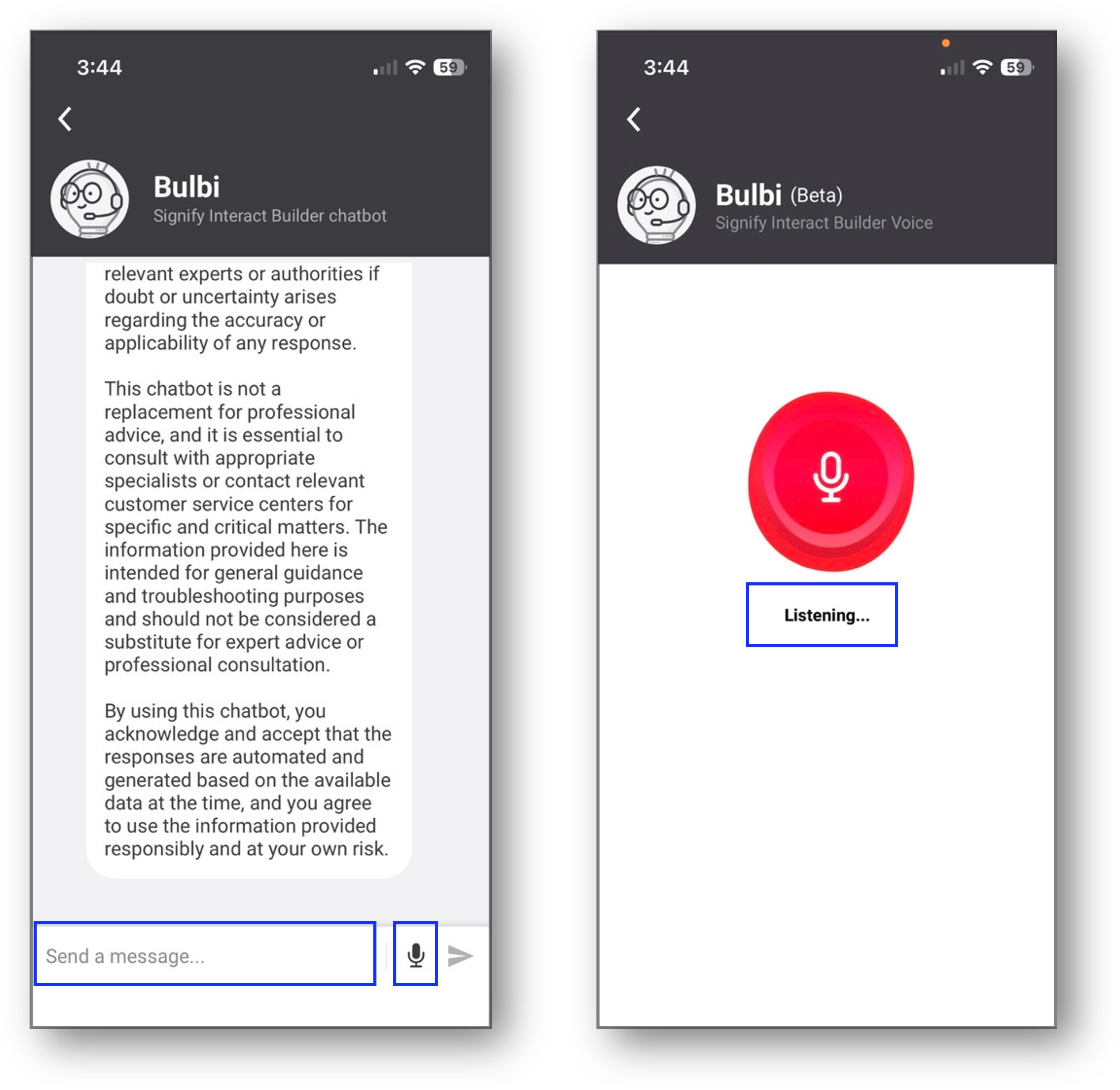
Bulbi is a chatbot enhanced by AI. It assist Signify Interact Builder users with technical support and information. Users can access Bulbi from the Signify Interact Builder app at different levels.
Home screen
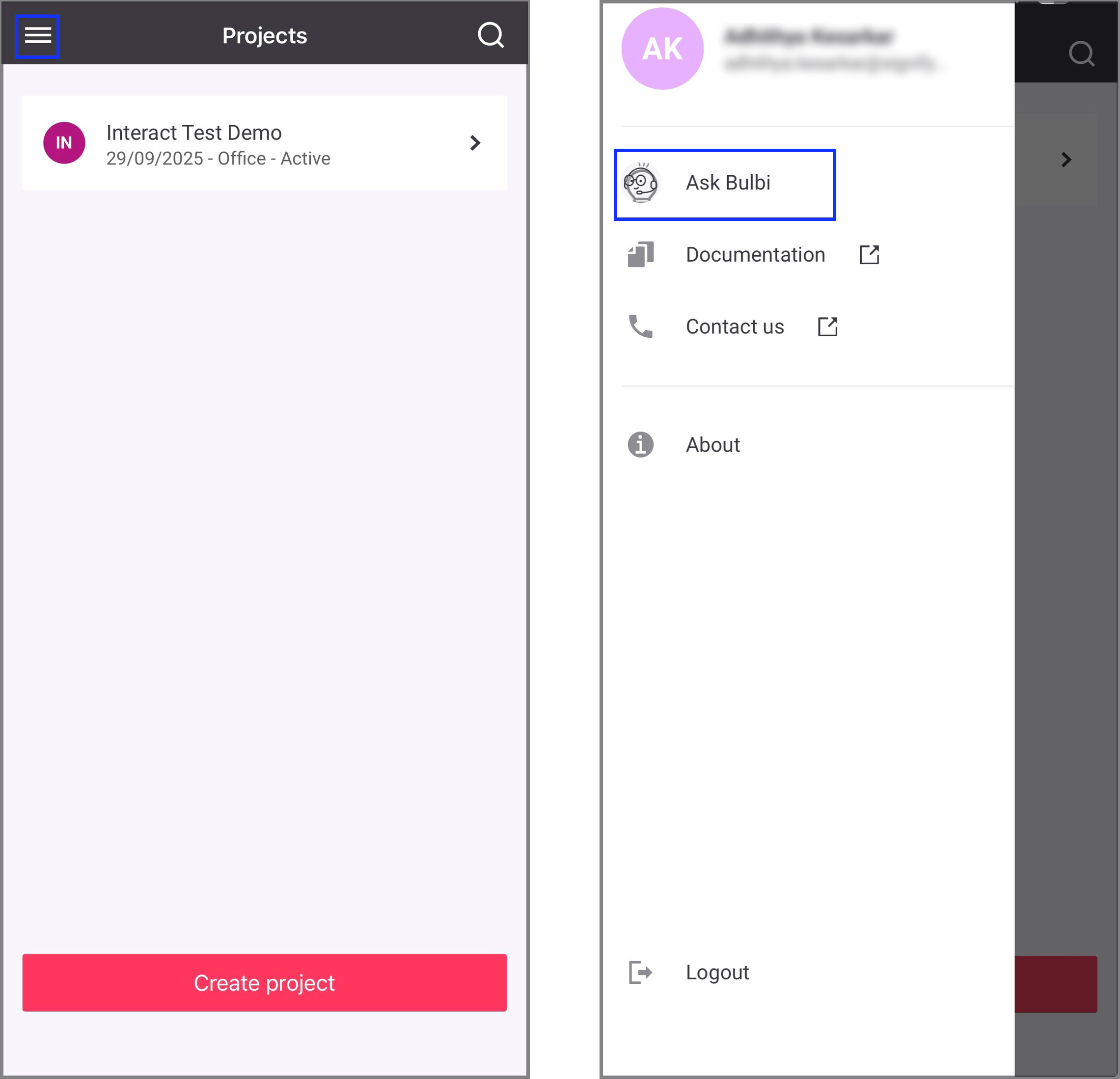
In the home screen, tap the hamburger menu and tap Ask Bulbi.
Project level
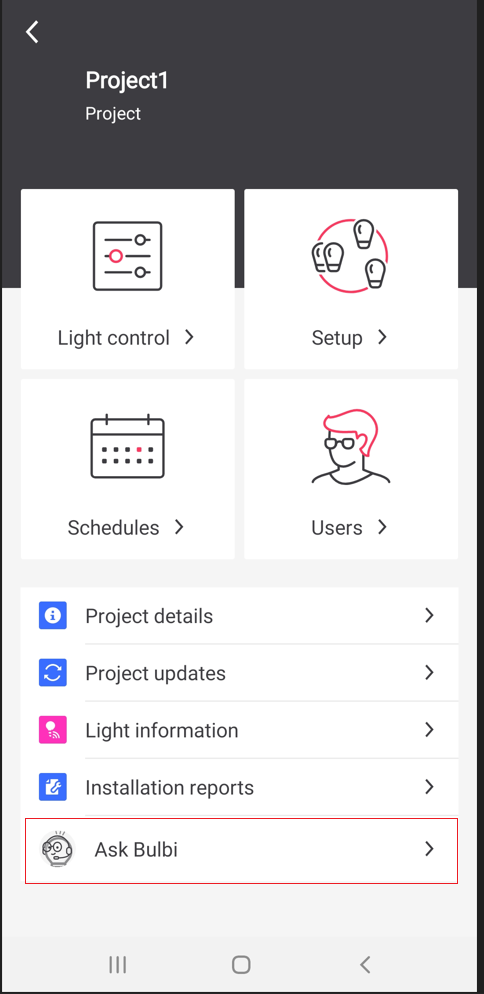
In the Project screen, select the required project and tap Ask Bulbi.
Network level
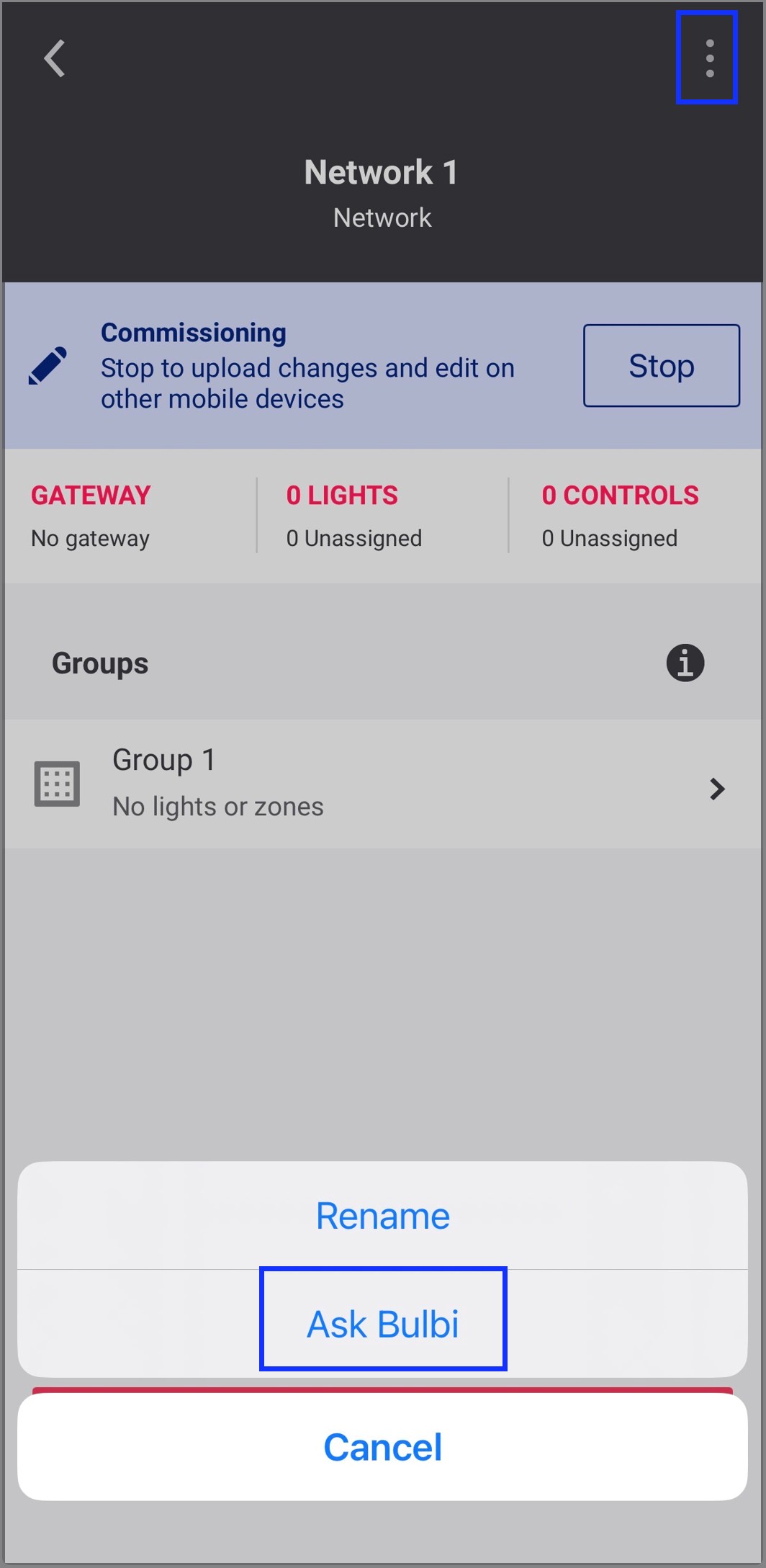
In the selected project, tap Setup and select the required network. In the selected network screen, tap the three-dots actions menu on the top right and tap Ask Bulbi.
Group level
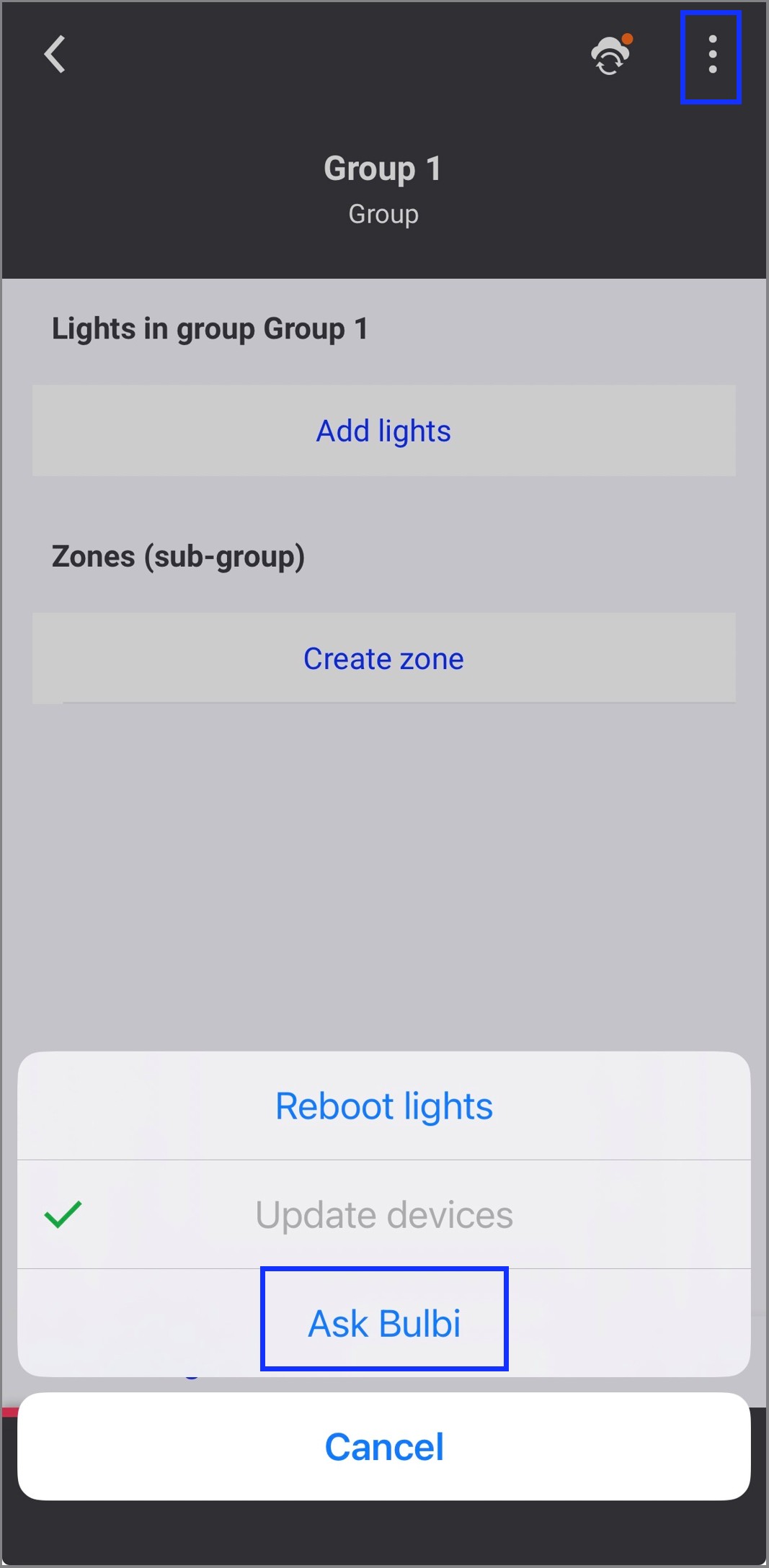
In the network screen, select the required group. In the selected group screen, tap the three-dots actions menu on the top right and tap Ask Bulbi.
To ask query in Bulbi, user can either chat using the text input field or use voice input by tapping the microphone icon.
| Currently, Bulbi voice is supported only in English language. |