BACnet configuration
BACnet integration is an on-premise, IP-based communication between the interact gateways and a third-party BACnet system. It supports manual control and occupancy data reporting of lighting groups.
| The cloud connectivity is not required for BACnet to work, but it is still required for commissioning, updating devices, and performing changes to a project. |
Prerequisite:
-
All lights and groups must be added and deployed.
-
Gateways must be added, updated, and connected to the Interact Builder cloud.
Perform the following steps to commission the BACnet network.
-
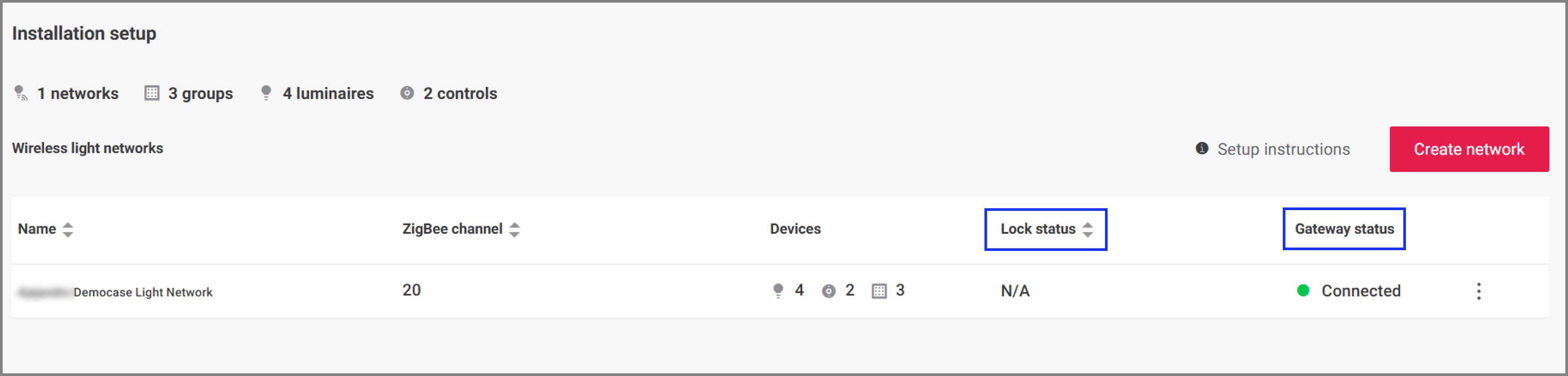
In the Signify Interact Builder web portal, navigate to the Setup page and make sure all networks are unlocked in the Lock status column and all gateways have a Connected status in the Gateway status column.
You may have multiple pages to check if you have many networks in your project. Any gateways that report the status as Unreachable are offline and should be investigated.
-
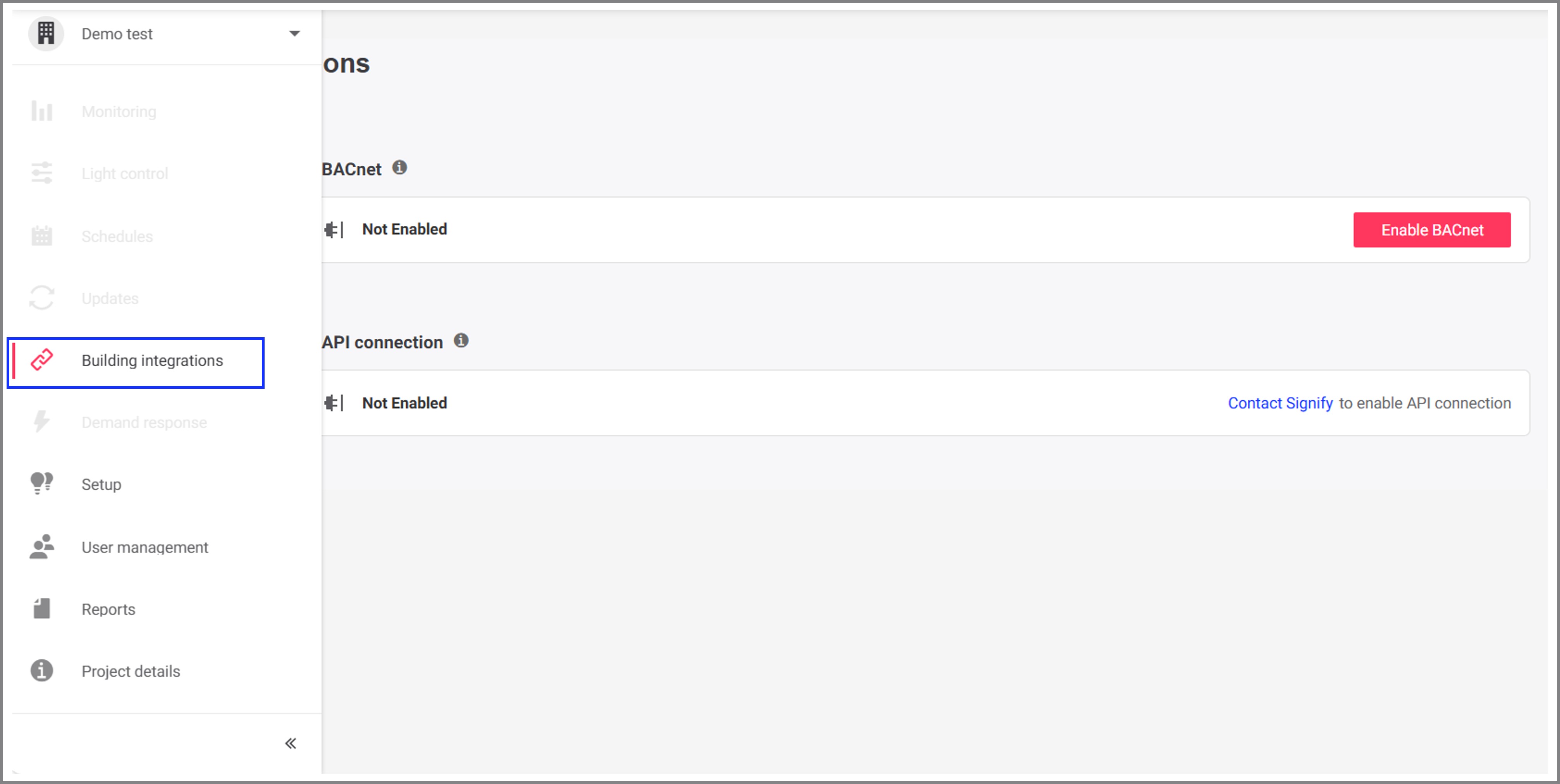
Click Building integrations in the navigation pane.
-
In the Building integrations screen, click Enable BACnet to deploy the BACnet configuration for all gateways in the building.
Once the BACnet is enabled, it cannot be disabled again. If BACnet needs to be disabled then recommissioning is required.

-
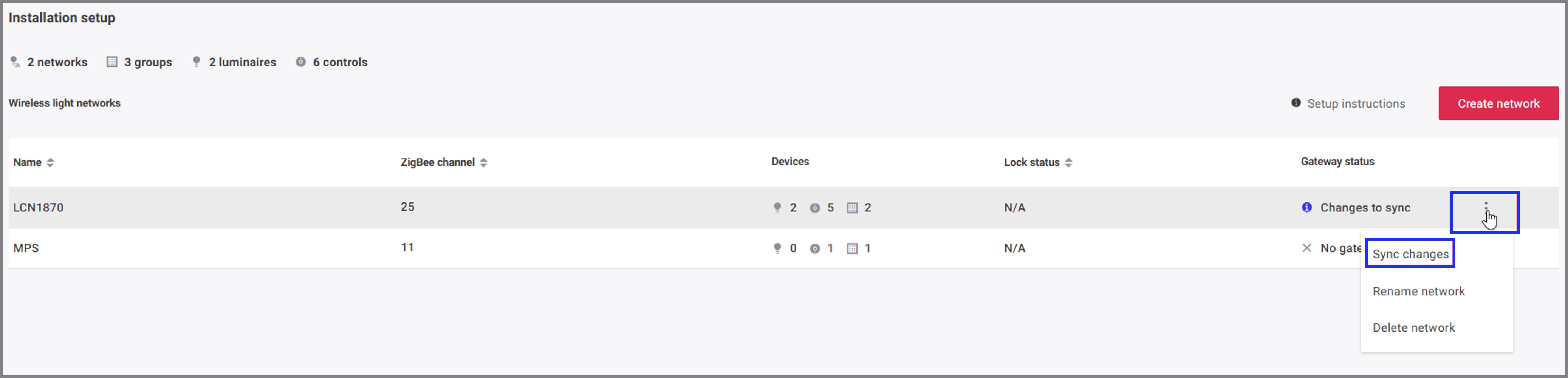
Click Setup in the navigation pane. In the Installation setup screen, click the 3-dot Actions menu and select Sync changes to perform the sync changes action for each gateway individually.
OR
From the Installation setup screen, navigate into each individual network and click the Sync changes button for each gateway.
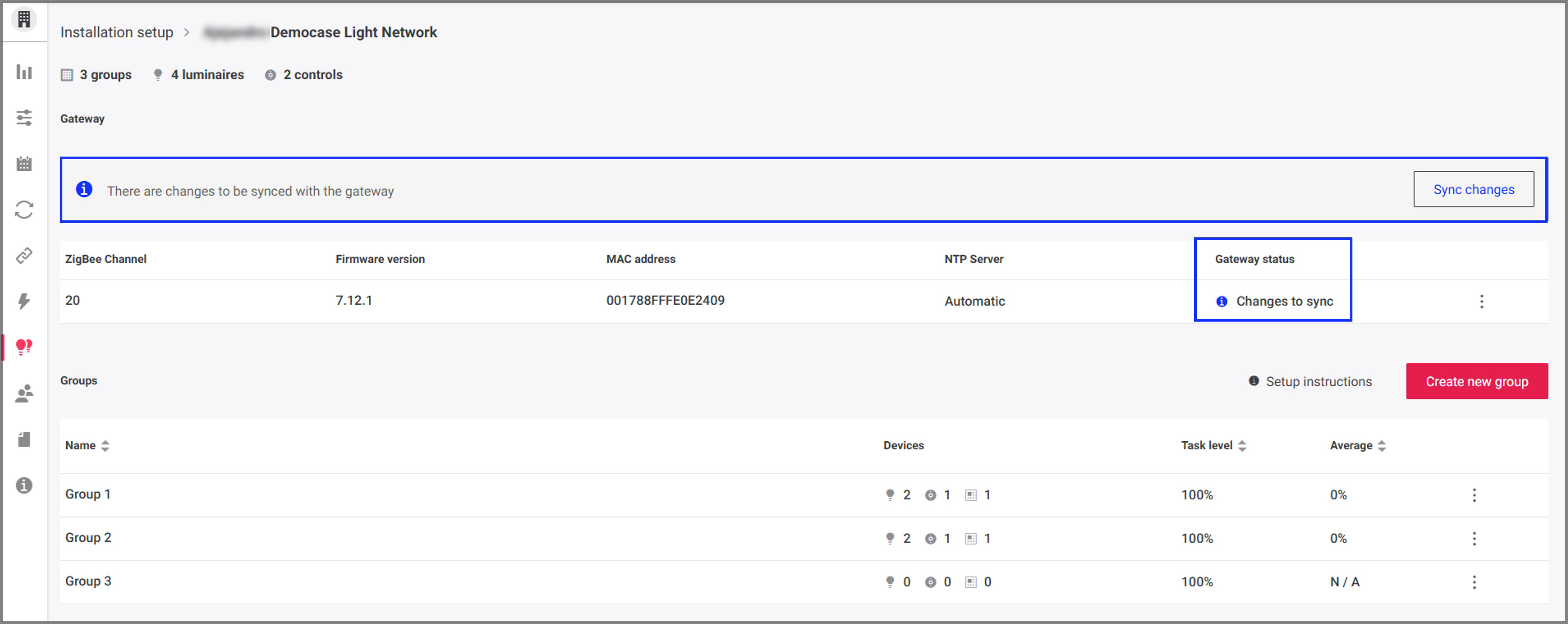
Whenever a project undergoes any changes such as adding or deleting areas, the Sync changes action needs to be performed again to make sure that the added or deleted areas are accessible and updated for the BACnet integration. -
Once all gateways are synced, click Building integrations in the navigation pane and click the download icon to download the Project data for BACnet (.CSV) file.
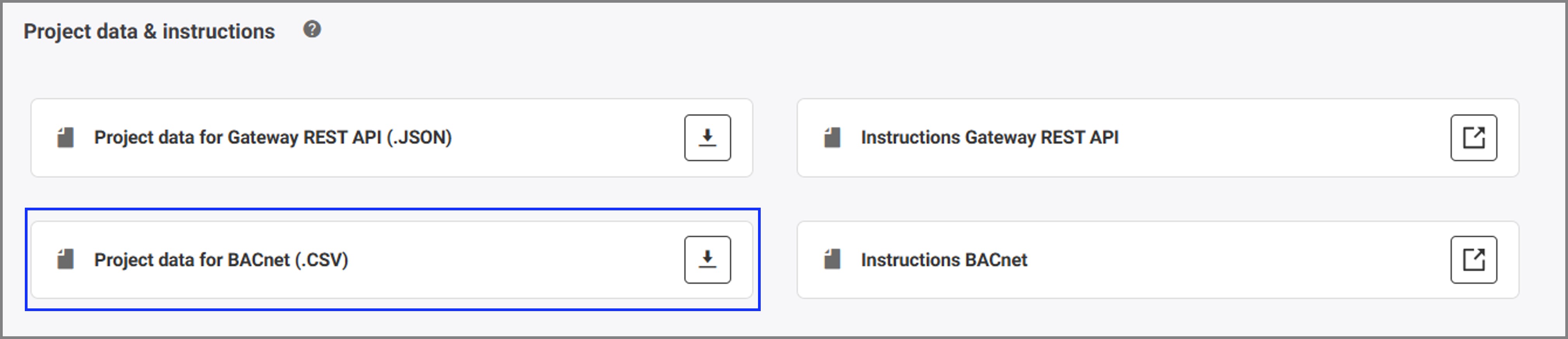
Share the downloaded file with the system integrator. Refer to BACnet support to know more information about the BACnet points.
| Whenever a project undergoes any changes such as adding or deleting areas, groups, luminaires or sensors, then the changes need to be synched to cloud. Download a new .CSV file with the latest updates and share it with the system integrator. |